Hand-built Godot scenes and shaders, code written with AI assistance, tested in Godot 4.7.
A complete playable starter project, not a shader pack.
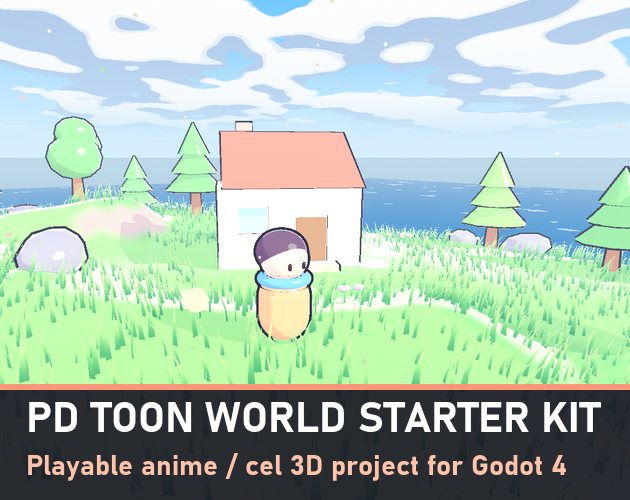
Open it, press Play and walk around a little anime island - then swap in your own models and keep the look.
▶ PLAY THE DEMO IN YOUR BROWSER (button above)
Controls: WASD move · Space jump · drag the mouse to orbit · wheel zoom · 1 2 3 change the time of day · O outlines on/off
WHAT YOU GET
• PD Toon shader - hard lit/shadow bands with COLORED shadows (not black), optional middle tone, one crisp specular spot and a rim light. Cast shadows turn into toon shadows too. Texture + vertex color support.
• Outlines - inverted hull, same width on screen at any distance, plus a mode for cubes and hard-edged props so the corners never split.
• Wind grass - thousands of blades on a MultiMesh, root-to-tip colors, rolling wind waves and gusts. Scatter it over any ground with one function.
• Toon water - shallow and deep colors from the depth buffer and foam lines that hug every shore automatically.
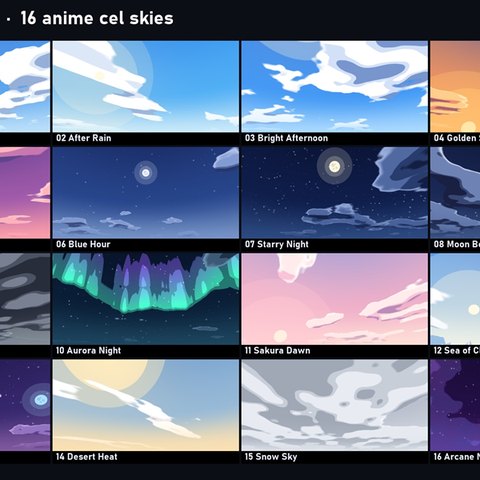
• Cel skies - 3 animated anime skies (Day, Golden Sunset, Sakura Dawn) from PD Toon Skies, with matching sun and fog.
• Third-person controller - camera-relative movement, coyote time, jump buffer, squash & stretch, keyboard + gamepad (creates its own input actions).
• Orbit camera - SpringArm3D that slides in front of walls, mouse / drag / right stick.
• Demo island built from code - terrain with soft anime terraces, round trees, pines, cherry trees, rocks, flowers, a little house, stepping stones and invisible map bounds. Change the seed in the Inspector for a new island.
• 2 color grades (LUTs) from PD Game Genre Looks.
• Clean, commented GDScript - every file is short and readable.
RUNS EVERYWHERE
• Compatibility renderer by default - old GPUs and web export. Forward+ and Mobile work too.
• Measured: about 35 fps at 1280x720 on a 2012 GeForce GT 630 with 7,000 grass blades and shadows. Newer GPUs run it much faster.
• Godot 4.5 or newer (tested 4.7.2).
USE IT IN YOUR GAME
Drag materials/toon_default.tres onto any mesh (or one line of code: PDToon.mat(color)), add the outline as Next Pass, done. The README walks through swapping in your own character and level.
MORE TOON STUFF
• PD Toon Skies - 16 anime cel skies + a live sky shader with time of day: https://pixeldreamerstudio.itch.io/pd-toon-skies
• PD Toon Kit - the same look for Blender: https://pixeldreamerstudio.itch.io/pd-toon-kit
LICENSE
Use in any number of free or commercial games, changed or unchanged. Don't resell or share the kit itself as an asset or template pack. Credit welcome, not required.