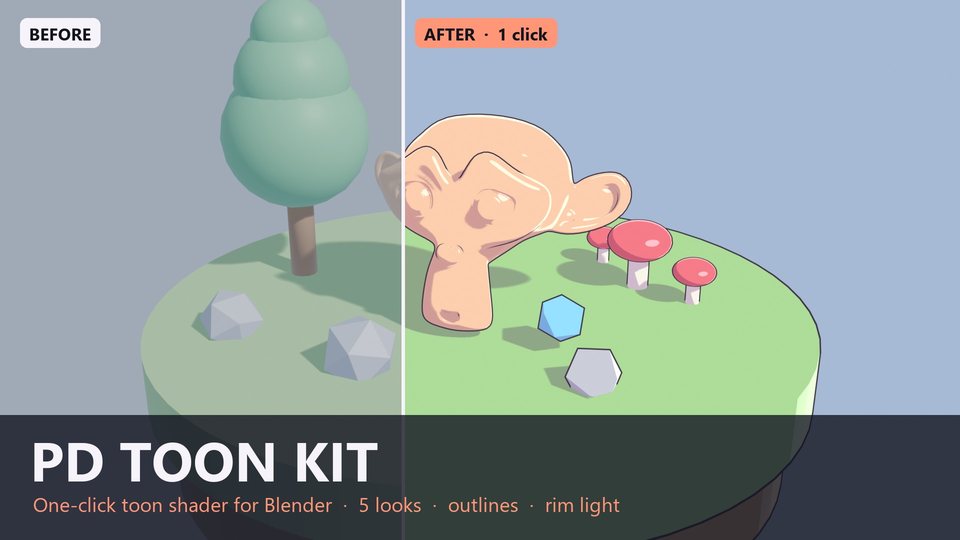
Turn any Blender scene into toon / cel / anime style with one click. Select your objects, pick a look, press Make Toon. Your image textures and normal maps are carried over automatically, and your original materials are never edited - Restore Original puts everything back.
Features:
- 11 looks: Anime Soft, Hard Cel, 3-Tone Comic, Painterly Soft, Sunset Warm, Halftone Comic, Cross-Hatch Ink, Posterize Paint, Ink Outline, Rim Glow, Sketch. NEW in 1.1: screen-space halftone dots and cross-hatching, posterize steps, sketchy shadow edges and ink contour lines (all adjustable per material)
- Shadow bands with threshold, softness and colored shadow tint, plus an optional 3rd mid tone
- Toon specular highlight and rim light (color, width, softness, lit-side-only)
- Inverted-hull outline with adjustable thickness and color, works with multi-material objects
- Toon Render Settings button: EEVEE + Standard view transform, so colors are not washed out
- Node group "PD Toon BSDF" you can plug into your own materials, with extra Color and Light Mask outputs
- Demo .blend scene included (the island from the preview images)
Requirements: Blender 4.2 or newer, EEVEE render engine (the shader uses Shader to RGB, which is EEVEE only).
Install: Edit > Preferences > Get Extensions > arrow menu > Install from Disk > pick the pd_toon_kit installer zip (inside the download). The panel is in the 3D Viewport sidebar (N) > Toon.
Code written with AI assistance. Tested in Blender 4.5 LTS (rendering) and 5.2 (all buttons) with automated test scripts.
License: add-on code GPL-3.0-or-later. Use it in personal and commercial projects.